最近在Ubuntu上编译属于自己的OpenWRT,为了记录编译过程及结果,也为了提供给同样需求的用户,计划使用GitHub 来做记录。实际上绑定非常简单。
首先安装Git功能,我这里以Ubuntu演示,Debian相同。如果是RedHat系的,可以查看参考链接
sudo apt install git接下来把自己的 GitHub 用户名跟邮箱绑定到当前用户中
git config --global user.name "your_github_username"
git config --global user.email "your_github_email"
可以执行以下命令来查看是否正确。
git config -l这就会将提交 (commit) 跟 GitHub 账号关联起来了。
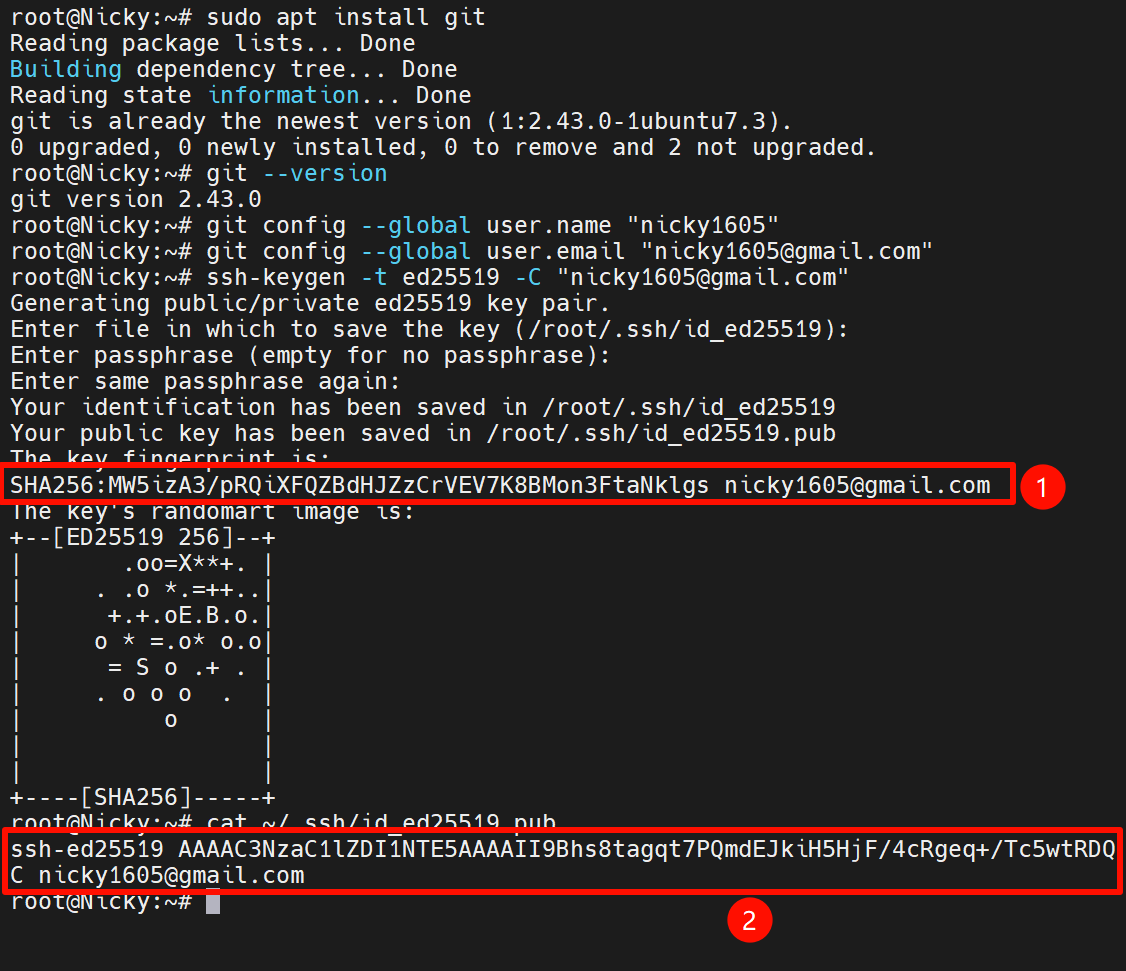
执行以下命令,并一路回车。
ssh-keygen -t ed25519 -C "your_email@example.com"最后查看生成的密钥。
cat ~/.ssh/id_ed25519.pub这里注意查看SHA256值,后面有用。
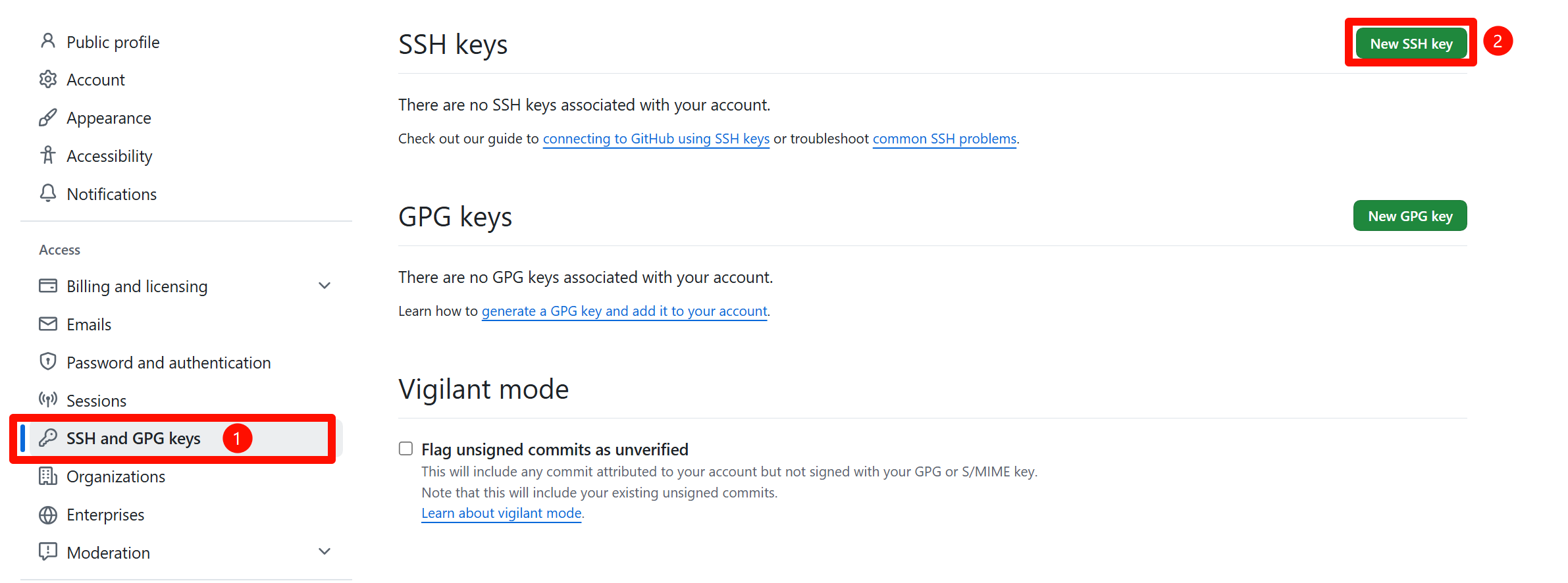
打开 GitHub 网站,进入个人设置,找到SSH Key这一项,点击右上角的New SSH Key。
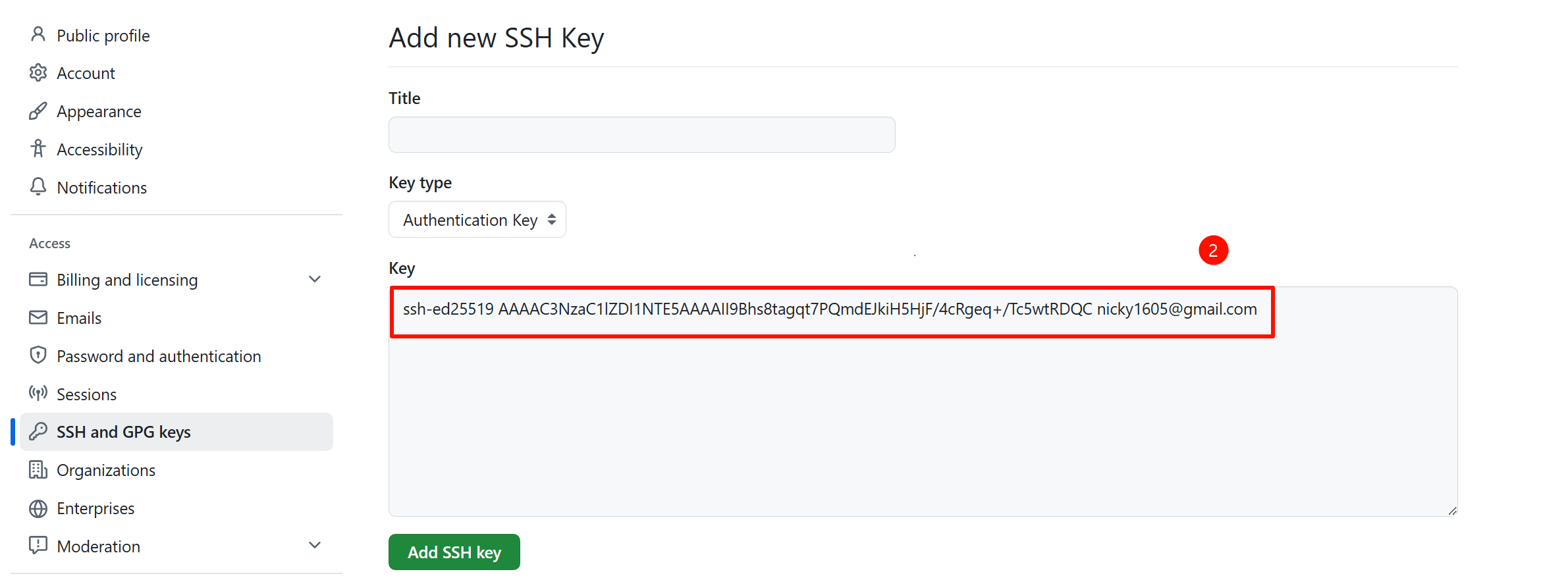
将刚才看到的Key值输入进去,点击Add SSH key。
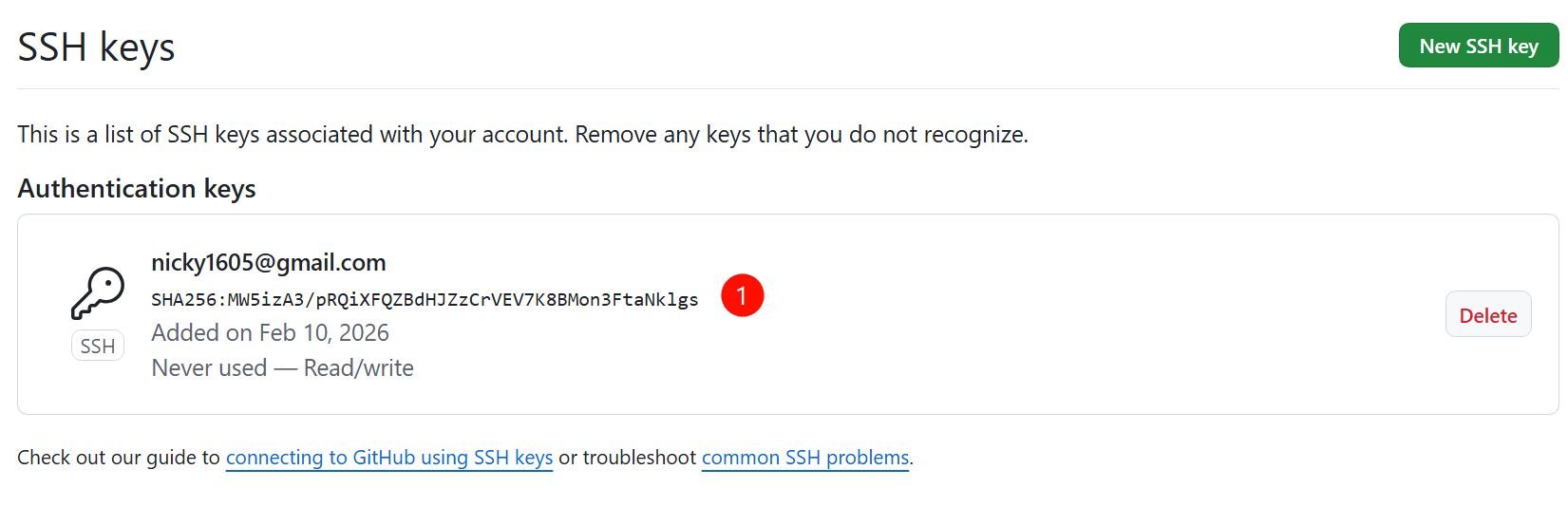
最后这里的SHA256的值应该与刚才我们生成的时候一样才正常。
同时,执行以下命令测试连接是否正常,还有SHA256是否相同。
ssh -T git@github.com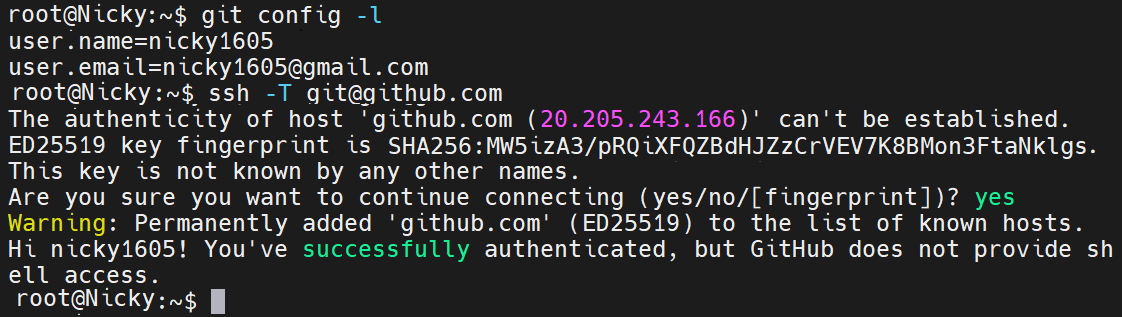
参考链接
- How to install Git on Linux:https://graphite.com/guides/how-to-install-git-on-linux
- Configuring Git and GitHub on a Linux based OS:https://medium.com/@manasamancharla11/configuring-git-and-github-on-a-linux-based-os-32caa1d3e94f
- Generating a new SSH key and adding it to the ssh-agent:https://docs.github.com/en/authentication/connecting-to-github-with-ssh/generating-a-new-ssh-key-and-adding-it-to-the-ssh-agent

文章评论